Platform Console
The Platform Console is the superadmin surface that operates WorkOSync itself. It sits at /admin, outside the normal app shell, and is used to onboard tenant companies, manage plans and subscription billing, configure gateways and set platform-wide policy. A normal company user never sees it.
Only accounts flagged as superadmin can open the console. Anyone else who visits /admin sees a Superadmin only card with a link back to their workspace, and every crawler or bot gets a 404 for the path. See Security for how that is enforced.
Opening the console
Superadmins see an Admin Center chip in the top bar of the app and an Admin center entry in their account menu. Both open the console. The console has its own dark top bar with the WorkOSync mark, a Back to app link, a red SUPERADMIN tag and your initials, and a left rail with eight sections: Overview, Companies, Users, Packages, Payments, Invoices, Payment Gateways and Platform Settings.
Overview
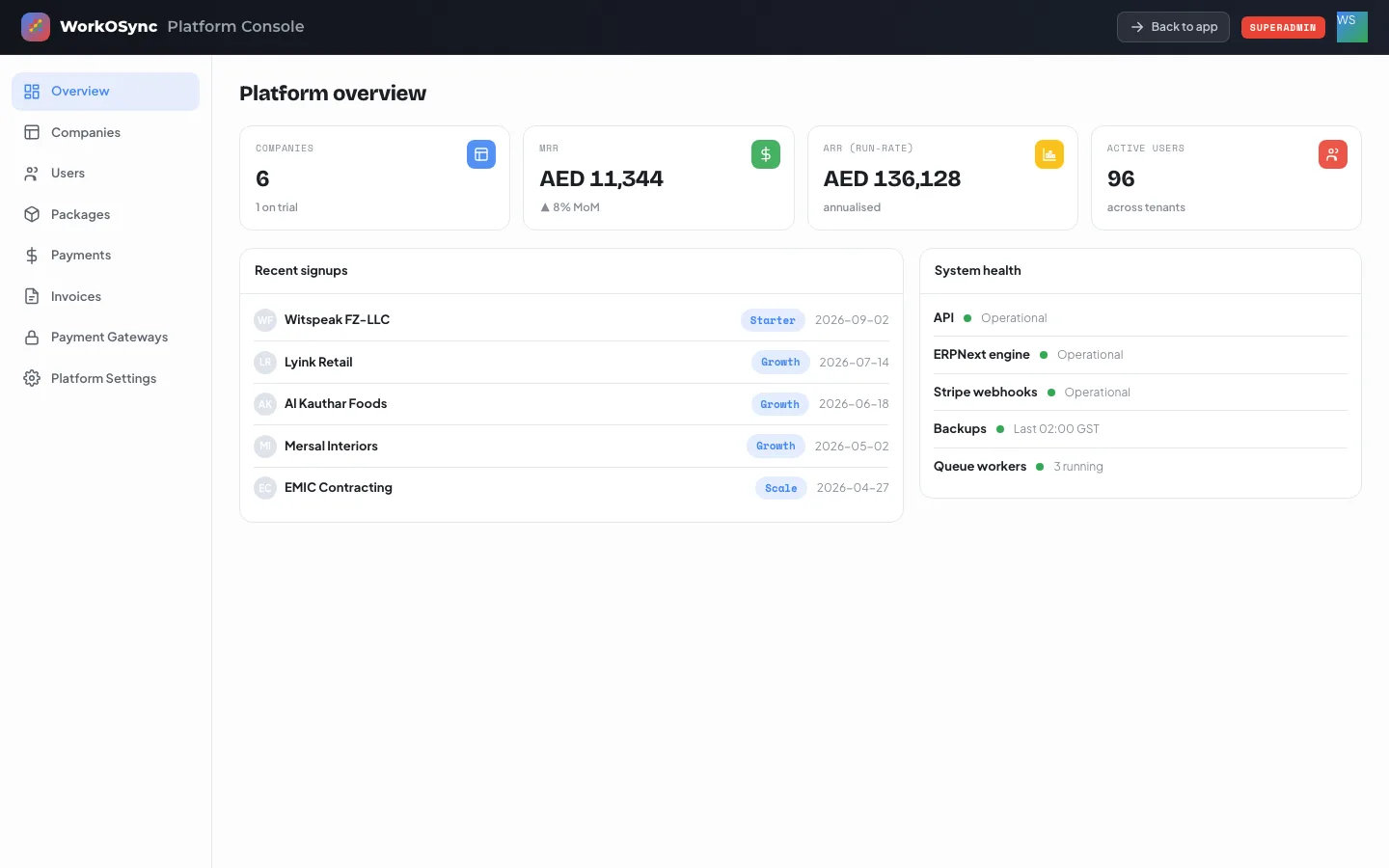
| Tile | Meaning |
|---|---|
| Companies | Number of tenants, with how many are on trial. |
| MRR | Monthly recurring revenue: the sum of every tenant's subscription, with the month-on-month trend. |
| ARR (run-rate) | MRR multiplied by twelve. |
| Active users | Users across all tenants. |
Recent signups lists the five newest companies with their plan and start date. System health shows the API, the ERPNext engine, Stripe webhooks, the last backup time and the number of queue workers, each with a green status dot.
Companies
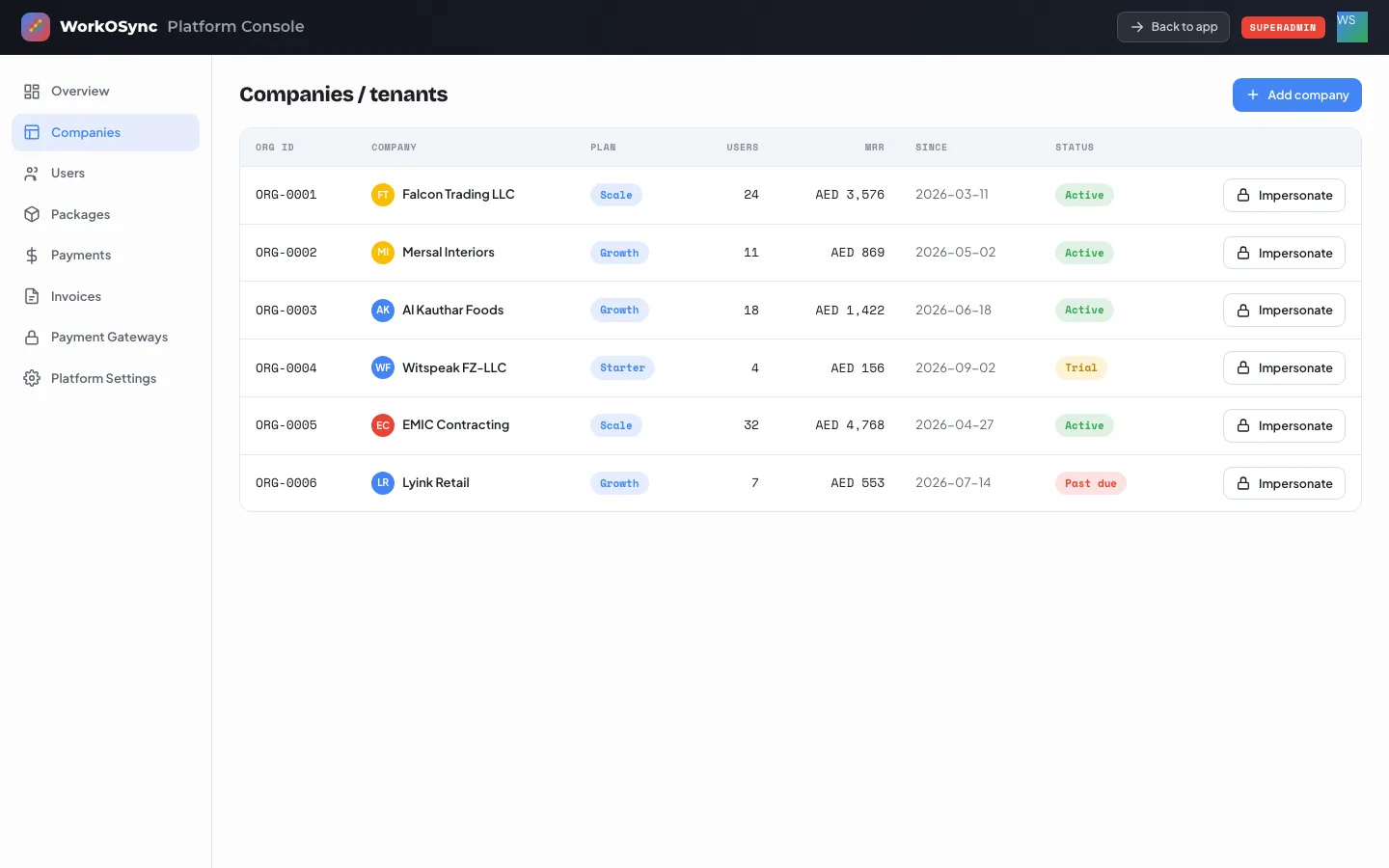
The table lists every tenant: Org ID, Company, Plan, Users, MRR, Since and Status. Status is Active (green), Trial (amber) or Past due (red).
Adding a company
- Click Add company
The button sits at the top right of the section.
- Fill in the dialog
Company name (required), Plan (Starter, Growth, Scale or Enterprise), Users and MRR (AED).
- Save
Click Add company. The tenant is created as Active with today's date and appears at the top of the table.
Impersonation
Impersonate opens that company's workspace in a new tab so you can see exactly what the customer sees and resolve a support issue in context. A confirmation appears in the console, and impersonation never exposes the customer's credentials.
Users and the superadmin toggle
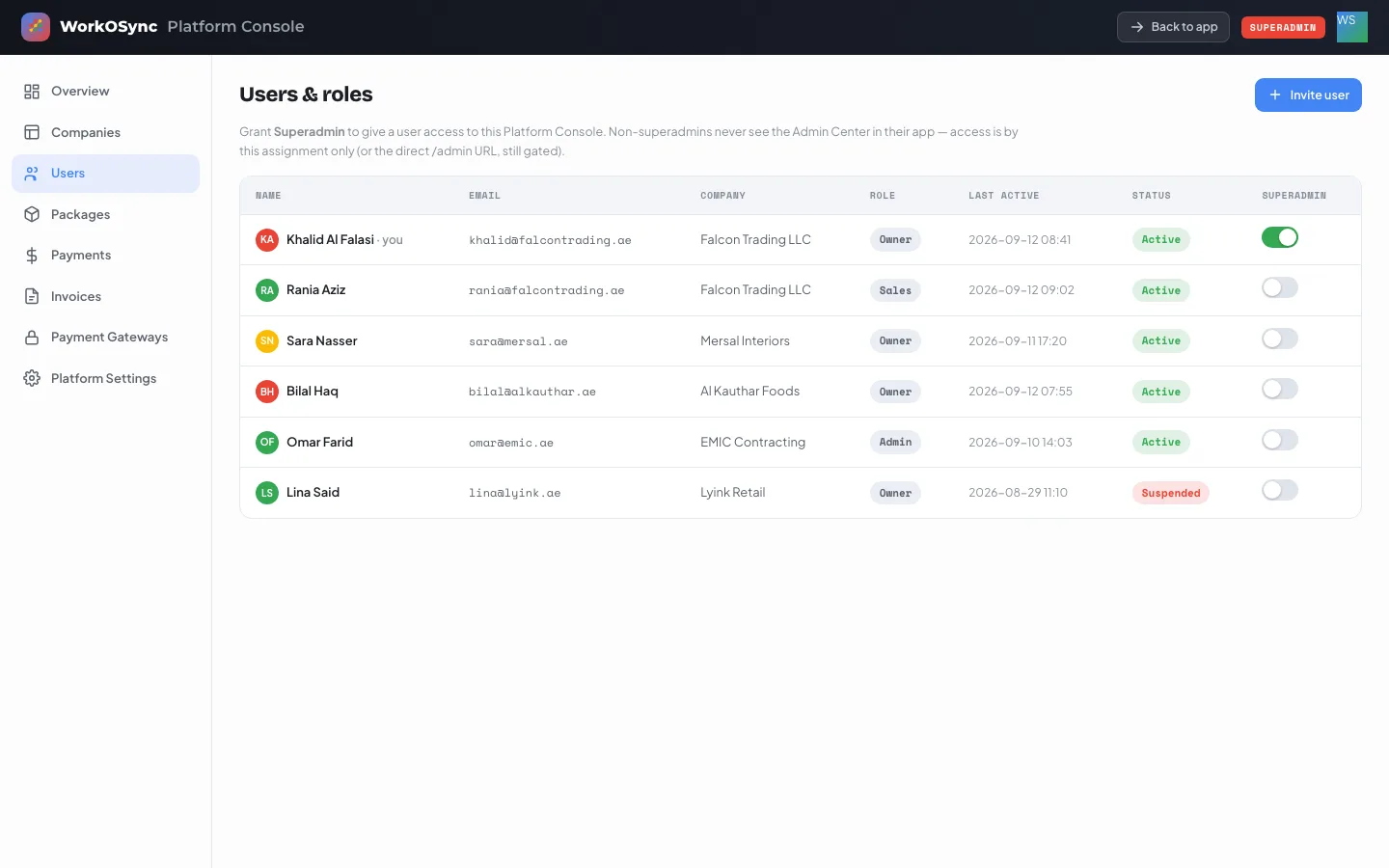
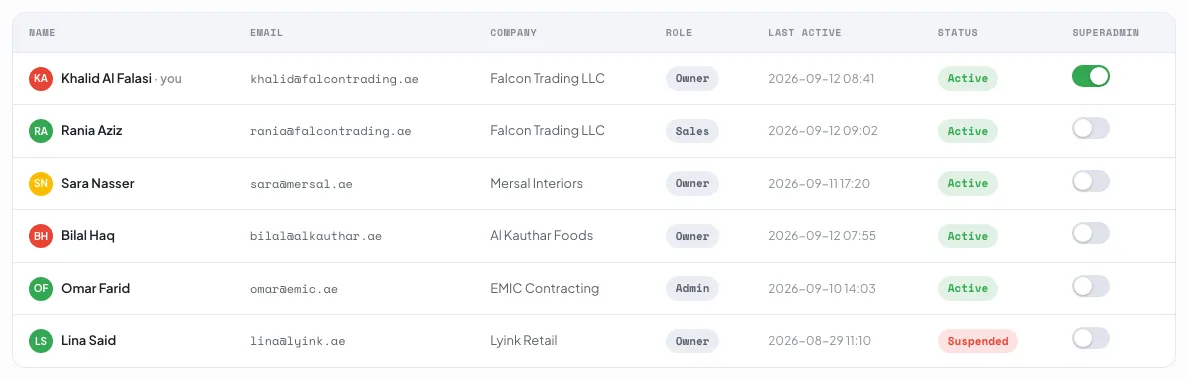
The table shows Name, Email, Company, Role, Last active, Status and a Superadmin switch. Your own row is marked you. Turning the switch on gives that person the Platform Console; turning it off removes the Admin Center from their app immediately. Access is by this assignment only.
Invite user opens a dialog with Full name, Email, Company and Role; Send invite adds the person as Active and confirms the invitation.
Packages and pricing
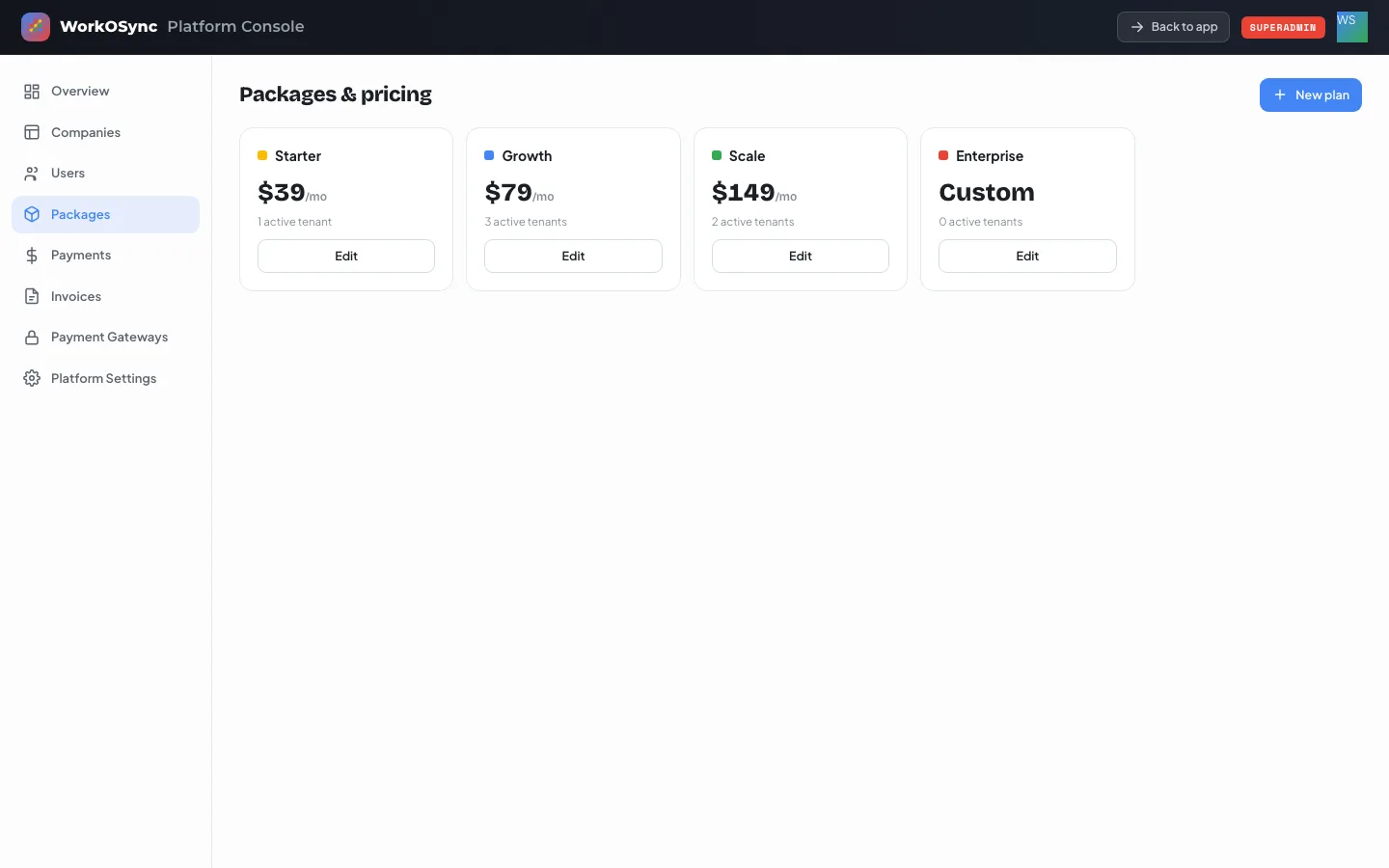
Each plan card shows its colour, name, monthly price in USD (or Custom when the price is zero) and the number of active tenants. New plan and Edit open the same dialog: Plan name, Price (USD / mo, 0 = Custom), Active tenants and Colour (blue, green, yellow or red). What customers see on the pricing page is described in Billing and plans.
Platform payments
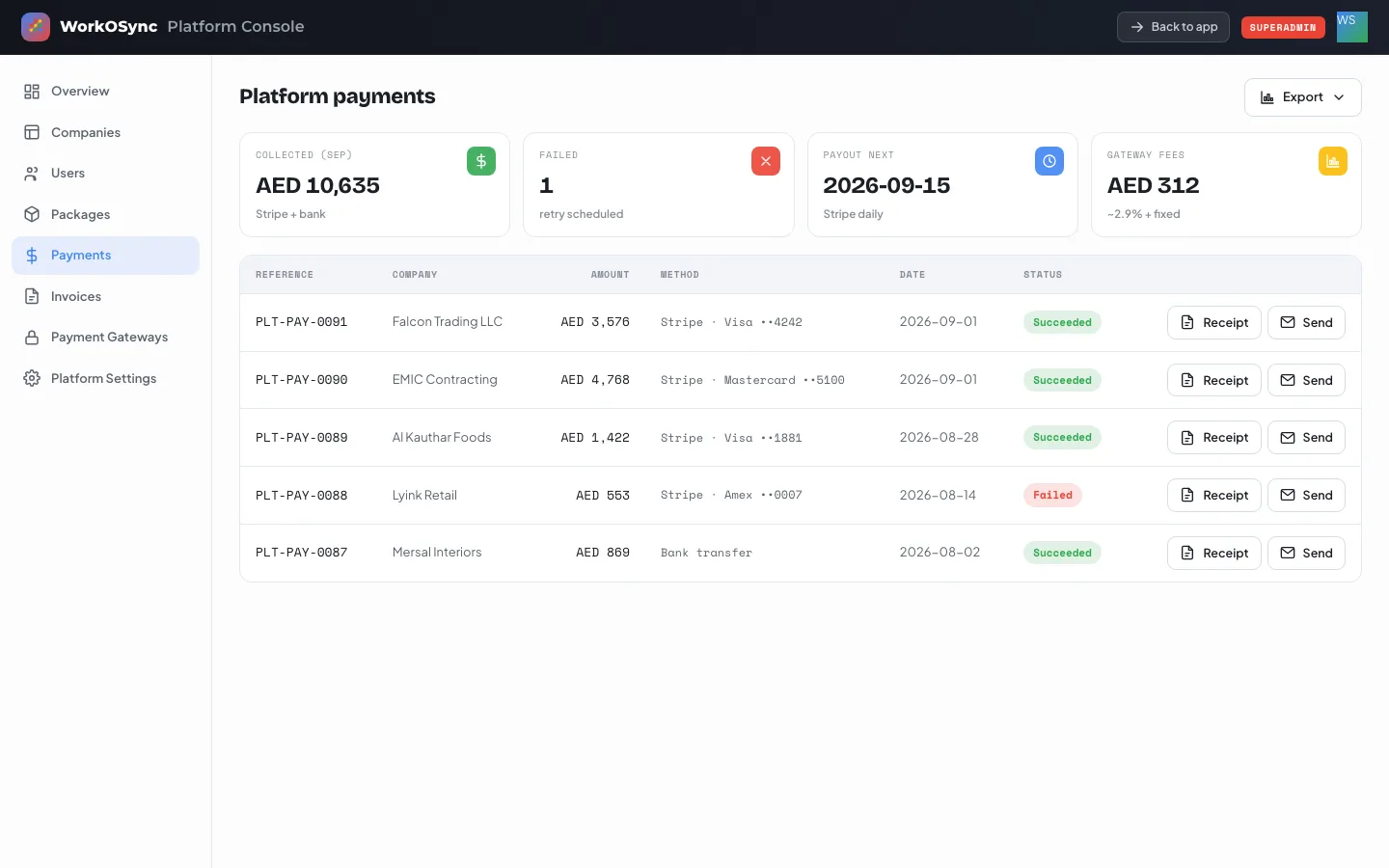
| Tile | Meaning |
|---|---|
| Collected (Sep) | Sum of succeeded payments this month across Stripe and bank transfer. |
| Failed | Payments that did not go through and are scheduled for retry. |
| Payout next | The next Stripe payout date. |
| Gateway fees | Fees charged by the gateways this month. |
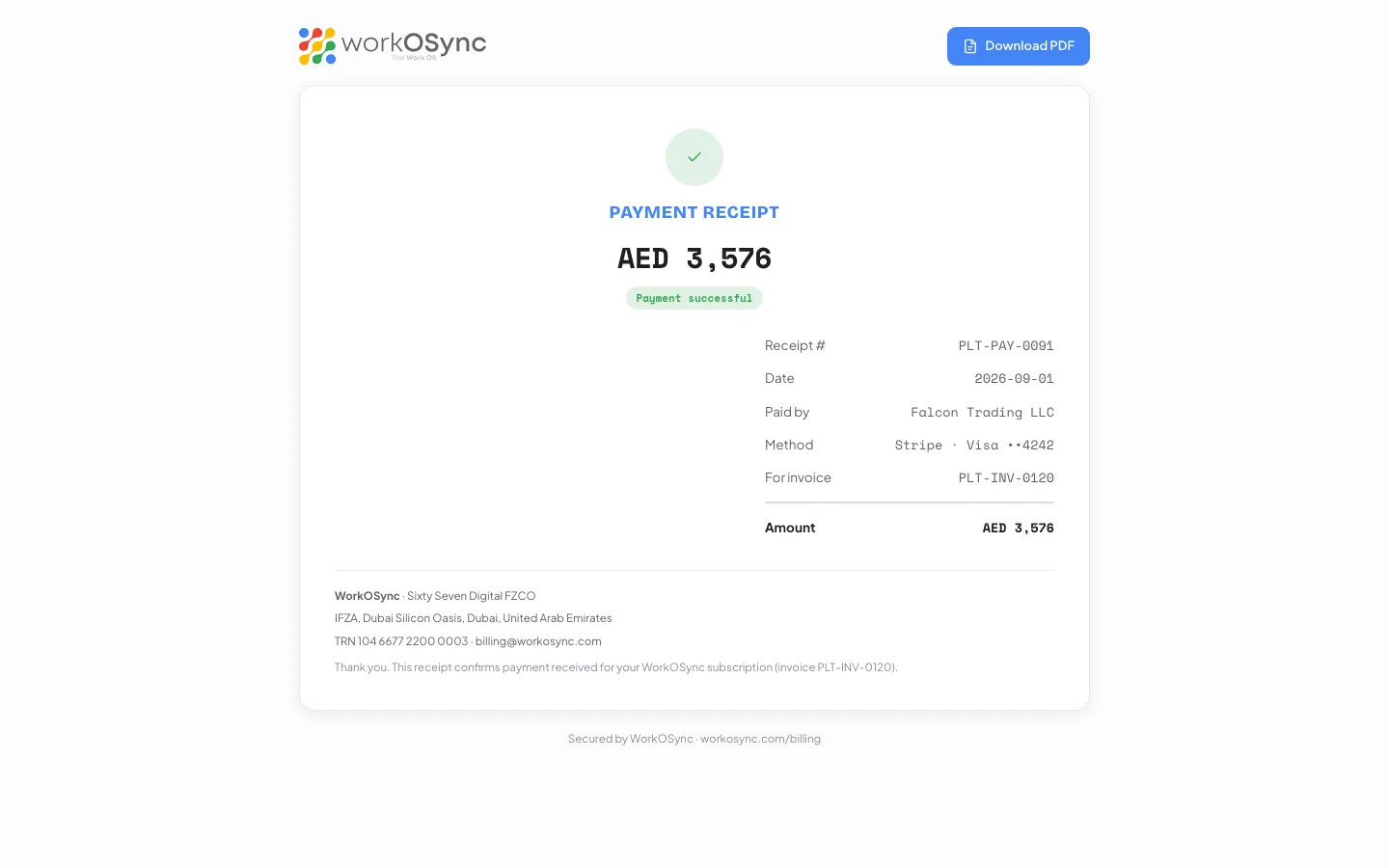
The table lists Reference (for example PLT-PAY-0091), Company, Amount, Method (Stripe with the card brand and last four digits, or Bank transfer), Date and Status (Succeeded or Failed). Receipt opens the branded receipt at /platform/receipt/<ref> in a new tab; Send emails it to the company's billing address with a copy to the superadmin. Export gives the table as Excel, CSV or PDF.
Subscription invoices
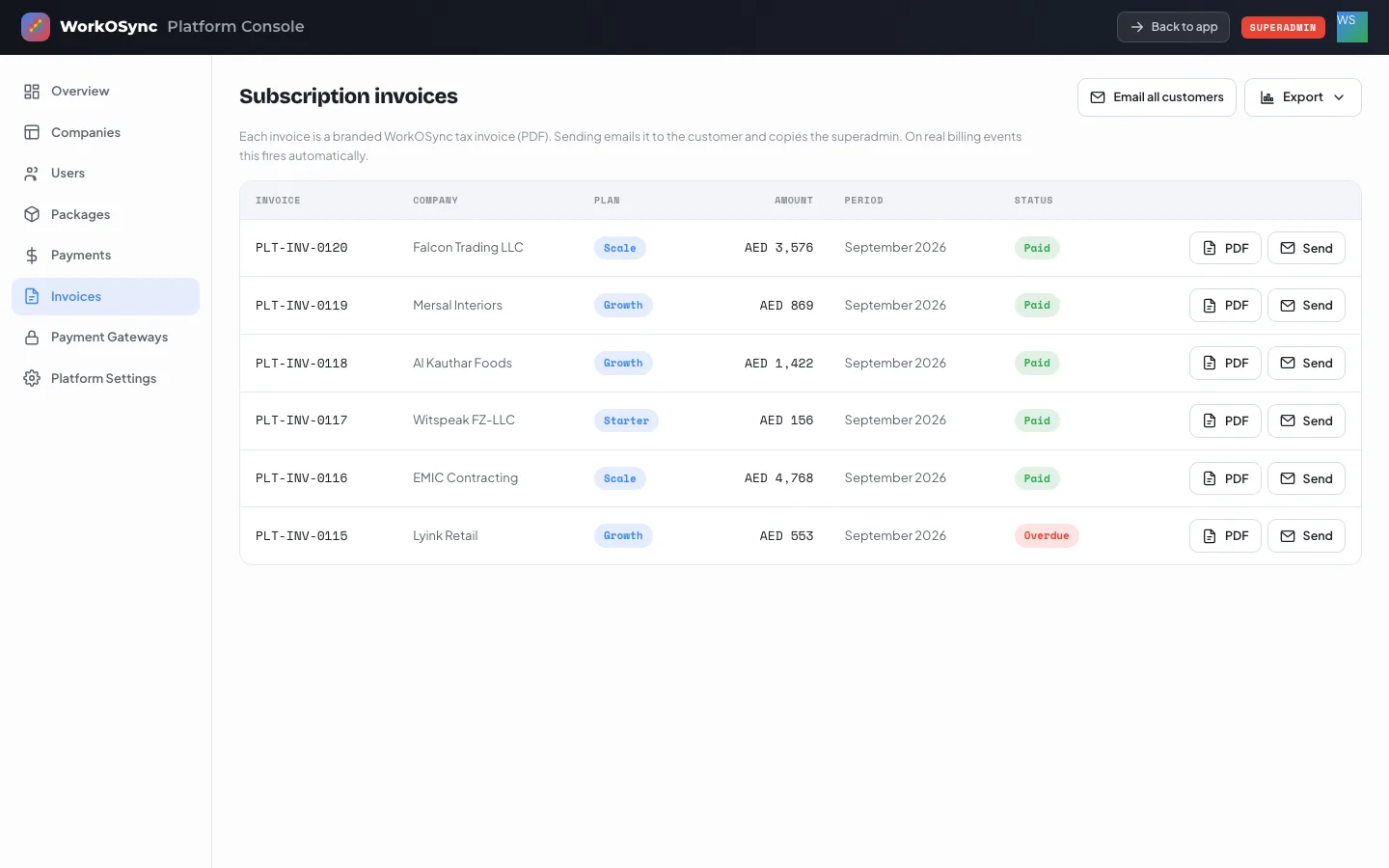
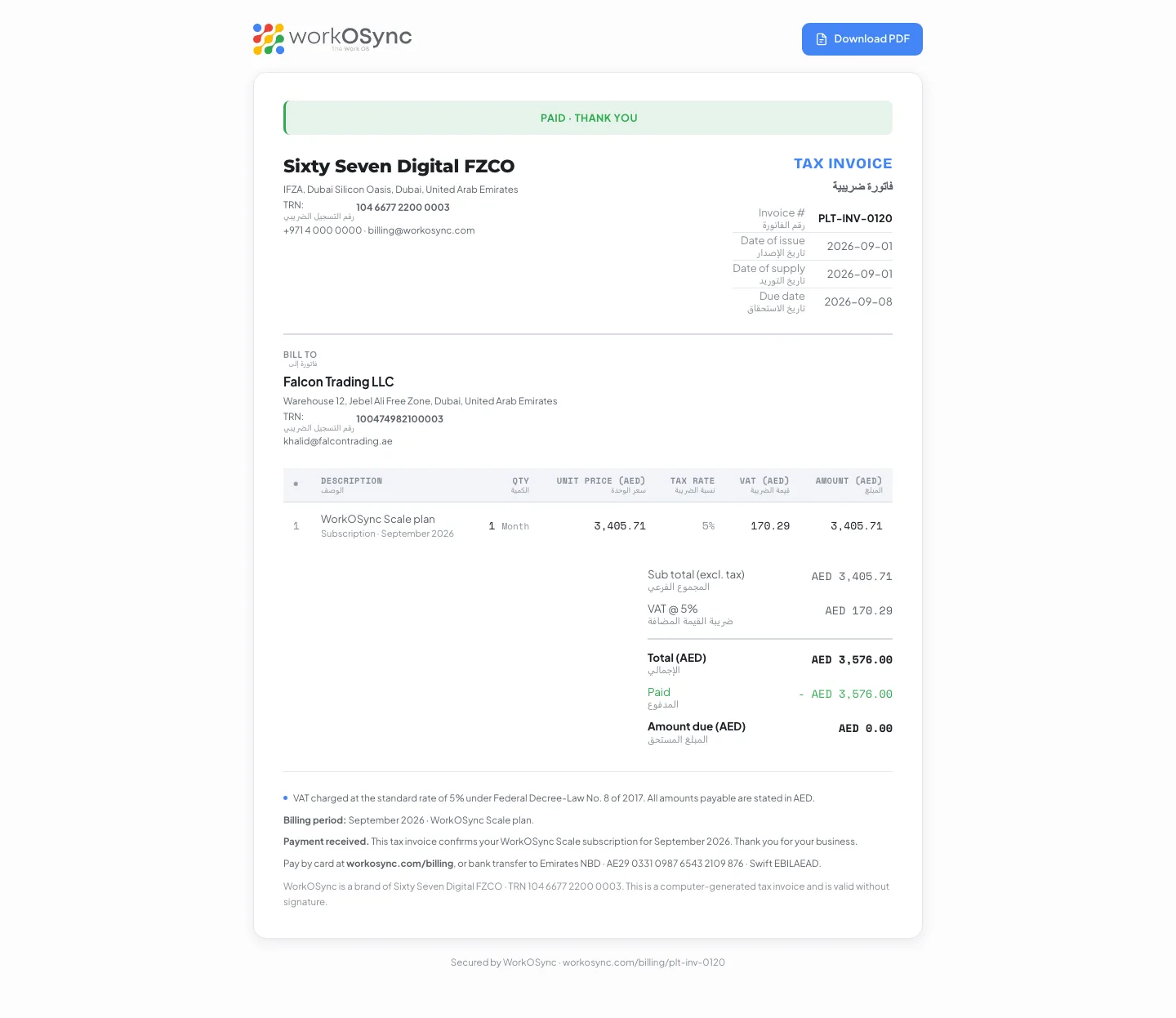
Every tenant receives a monthly tax invoice such as PLT-INV-0120. The table shows Invoice, Company, Plan, Amount (VAT inclusive), Period and Status (Paid or Overdue). PDF opens the invoice at /platform/invoice/<id>; Send emails it to the customer and copies the superadmin; Email all customers sends every invoice in one go and reports how many were delivered. On real billing events these emails fire automatically.
Payment gateways
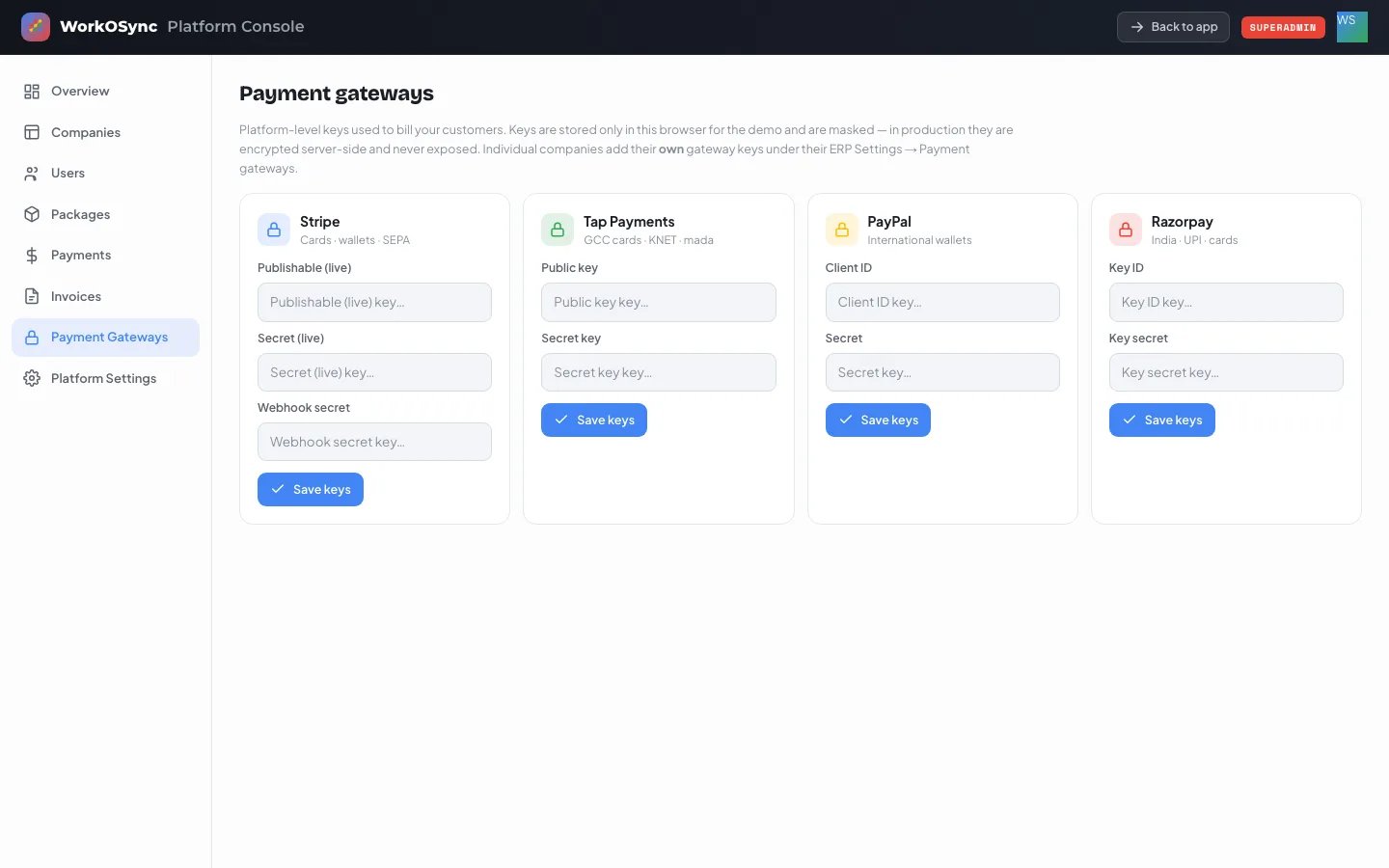
| Gateway | Covers | Keys |
|---|---|---|
| Stripe | Cards, wallets, SEPA | Publishable (live), Secret (live), Webhook secret |
| Tap Payments | GCC cards, KNET, mada | Public key, Secret key |
| PayPal | International wallets | Client ID, Secret |
| Razorpay | India, UPI, cards | Key ID, Key secret |
Paste each key into its password field and click Save keys. Saved cards show a Connected badge and a masked key (first four and last four characters). Keys never appear in plain text again.
Platform settings
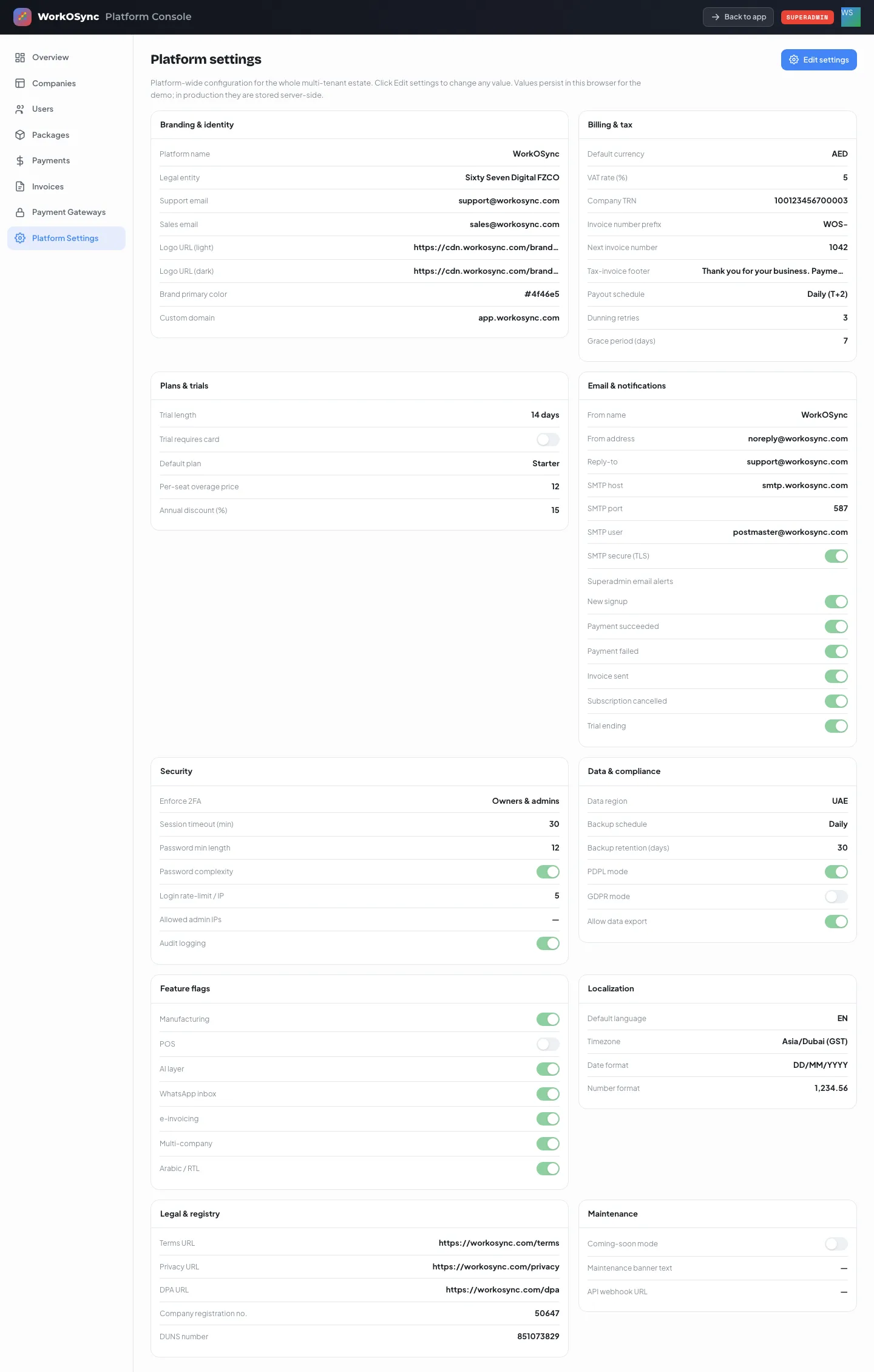
Platform settings hold the configuration for the whole multi-tenant estate. The section is read-only until you click Edit settings; then every value becomes editable and Save changes or Cancel appear in the header. Settings are grouped into ten panels.
Branding & identity
| Field | What it controls |
|---|---|
| Platform name | The product name shown in emails and documents. |
| Legal entity | The seller on subscription invoices and receipts. |
| Support email | Where tenants are told to write for help. |
| Sales email | Contact for plan and enterprise enquiries. |
| Logo URL (light), Logo URL (dark) | Brand marks for light and dark surfaces. |
| Brand primary color | Hex colour used for buttons and accents in emails. |
| Custom domain | The hostname tenants use to sign in. |
Billing & tax
| Field | What it controls |
|---|---|
| Default currency | AED, USD, EUR, INR or SAR for subscription billing. |
| VAT rate (%) | Tax applied to every subscription invoice. 5 for the UAE. |
| Company TRN | The platform's tax registration number printed on invoices. |
| Invoice number prefix, Next invoice number | The sequence for subscription tax invoices. |
| Tax-invoice footer | Payment terms text printed at the bottom of every invoice. |
| Payout schedule | Daily (T+2), Weekly, Bi-weekly or Monthly gateway payouts. |
| Dunning retries | How many times a failed payment is retried. |
| Grace period (days) | Days a tenant stays active after a failed payment before it is marked past due. |
Plans & trials
| Field | What it controls |
|---|---|
| Trial length | How long a new workspace runs free, for example 14 days. |
| Trial requires card | Whether sign-up asks for a payment method. Off by default. |
| Default plan | The plan a trial converts to unless the tenant chooses another. |
| Per-seat overage price | Charge per user above a plan's included seats. |
| Annual discount (%) | Discount for paying yearly, shown on the pricing page. |
Email & notifications
| Field | What it controls |
|---|---|
| From name, From address, Reply-to | The sender identity on every transactional email. |
| SMTP host, SMTP port, SMTP user, SMTP secure (TLS) | The outbound mail server. Passwords are set on the server, never here. |
| Superadmin email alerts | Toggles for New signup, Payment succeeded, Payment failed, Invoice sent, Subscription cancelled and Trial ending. |
Security
| Field | What it controls |
|---|---|
| Enforce 2FA | Off, Owners & admins, or Everyone. |
| Session timeout (min) | Idle minutes before a session ends. |
| Password min length, Password complexity | Password policy for every tenant. |
| Login rate-limit / IP | Attempts per minute per address before throttling. |
| Allowed admin IPs | Comma-separated list; blank allows any address to reach the console. |
| Audit logging | Keeps the append-only audit trail on. |
Data & compliance
| Field | What it controls |
|---|---|
| Data region | UAE, EU or US hosting region. |
| Backup schedule, Backup retention (days) | Hourly, Daily or Weekly backups and how long they are kept. |
| PDPL mode | UAE Personal Data Protection Law handling. |
| GDPR mode | EU data-subject handling for European tenants. |
| Allow data export | Whether tenants may export their data in bulk. |
Feature flags
Switches that turn capabilities on or off for the whole estate: Manufacturing, POS, AI layer, WhatsApp inbox, e-invoicing, Multi-company and Arabic / RTL.
Localization
| Field | Options |
|---|---|
| Default language | EN or AR |
| Timezone | Asia/Dubai (GST), Asia/Riyadh (AST), Asia/Kolkata (IST), Europe/London (GMT), UTC |
| Date format | DD/MM/YYYY, MM/DD/YYYY, YYYY-MM-DD, D MMM YYYY |
| Number format | 1,234.56 or 1.234,56 or 1 234.56 |
Legal & registry
Terms URL, Privacy URL and DPA URL are linked from sign-up and emails. Company registration no. and DUNS number are the registry identifiers printed on invoices and used for organisation validation.
Maintenance
Coming-soon mode shows a holding page to the public while staff keep working. Maintenance banner text is shown to all tenants when set. API webhook URL receives platform events.
In the demo the console keeps its edits in your browser so you can explore freely. In production, settings, gateway keys and company records are stored server-side and every change is audit-logged.