Audit logs
The audit log is the append-only record of every mutating action in your company: who did what, when, and from where. It is the trail an auditor, a regulator or you will follow when a number needs explaining.
The log
Open System then Audit Logs, or go to /audit. The page is titled Audit logs with the subtitle "Append-only. Every mutating action, forever - who, what, when." It is a single table, newest first.
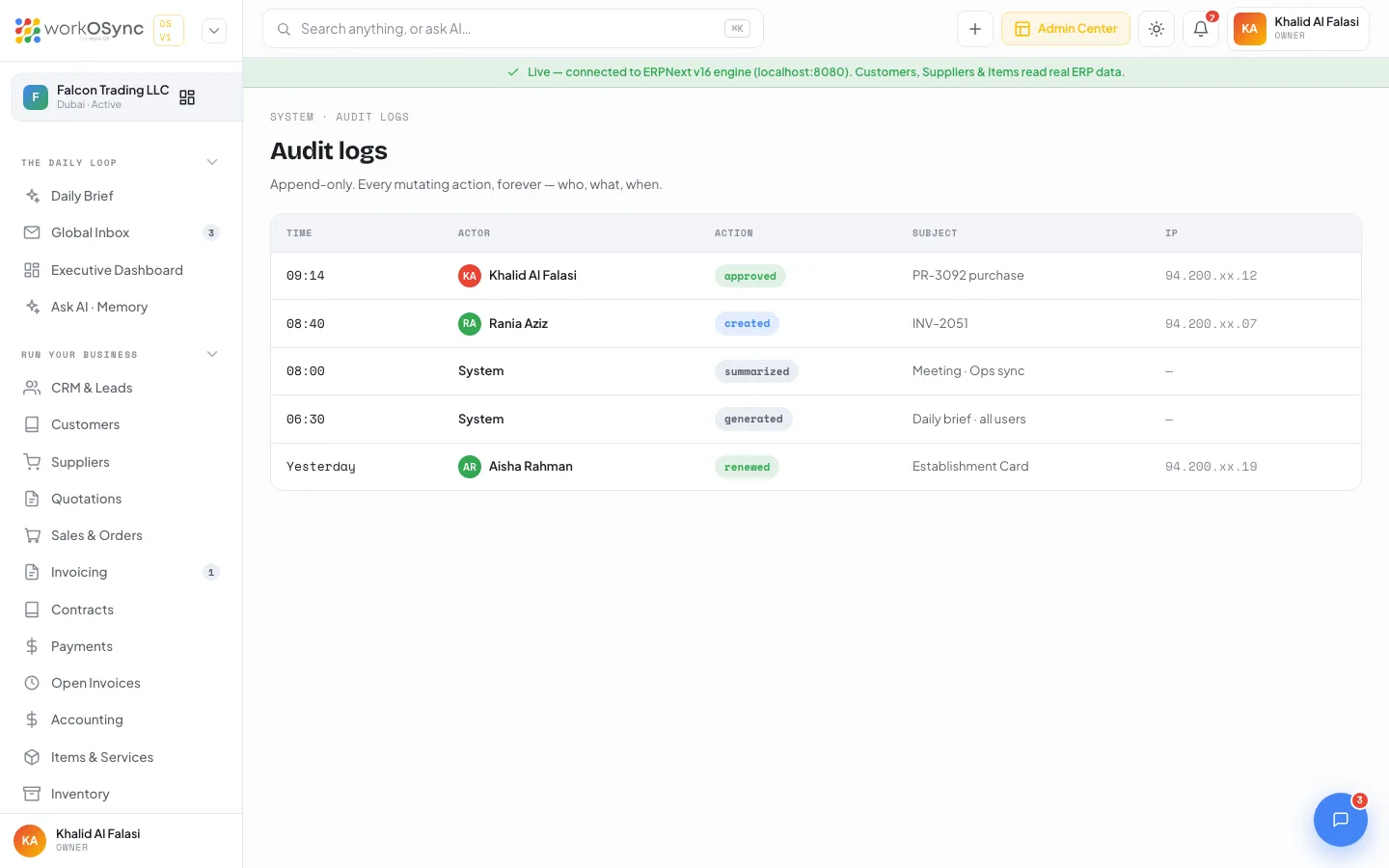
| Column | Contents |
|---|---|
| Time | When the action happened, as a time for today and a relative day otherwise. |
| Actor | The user who performed it, with avatar, or System for automated actions such as AI summaries and the daily brief. |
| Action | A badge naming the action type. |
| Subject | The record acted on, for example an invoice number, a purchase request or a compliance item. |
| IP | The address the request came from, partly masked. System actions have no IP. |
Action types
| Action | Badge | Example subject |
|---|---|---|
| approved | Green | PR-3092 purchase, approved from the Approvals queue. |
| created | Blue | INV-2051, a new tax invoice. |
| renewed | Green | Establishment Card, renewed in the compliance tracker. |
| summarized | Grey | Meeting · Ops sync, an AI meeting summary. |
| generated | Grey | Daily brief · all users, the morning brief. |
Reading a row
A row reads as a sentence: at 09:14, Khalid Al Falasi approved PR-3092 purchase from 94.200.xx.12. The subject is the document id you would search for elsewhere in the app, so you can jump from a row to the invoice in Invoicing or the request in Approvals and back again.
| Time | Actor | Action | Subject | IP |
|---|---|---|---|---|
| 09:14 | Khalid Al Falasi | approved | PR-3092 purchase | 94.200.xx.12 |
| 08:40 | Rania Aziz | created | INV-2051 | 94.200.xx.07 |
| 08:00 | System | summarized | Meeting · Ops sync | |
| 06:30 | System | generated | Daily brief · all users | |
| Yesterday | Aisha Rahman | renewed | Establishment Card | 94.200.xx.19 |
What is logged
Any action that changes data is a candidate for the log: documents being created or approved, compliance items being renewed, and automated work done by the AI layer in your name. Reads are not logged; opening a report or viewing an invoice leaves no row.
- Documents: invoices, bills, journals and other records created or changed. See Invoicing and Accounting.
- Approvals: every decision from the one-tap approvals queue, recorded as approved against the request it decided.
- Compliance: renewals recorded in the UAE compliance tracker.
- System: AI summaries and generated briefs, logged with System as the actor so automated changes are never mistaken for a person's.
Append-only
Rows are written once and never edited or deleted, by anyone, including administrators. Correcting a mistake means making a new action that is itself logged, never rewriting history. That is what makes the log usable as evidence: the sequence of rows is the sequence of events.
The page shows the seeded demo rows and has no filter, search, export or paging yet. Those arrive with the ERPNext activity log integration. The underlying ledger postings remain fully traceable today through the General Ledger.
Audit logs and approvals
Approvals are where a decision is made; the audit log is where it is remembered. When an approver taps Approve on a purchase request, the request moves on and a row is appended here with the approver as actor, approved as the action and the request as the subject. The log therefore answers the question approvals cannot: who signed off on this, and when.
Start from the record (an invoice, a purchase request), find its rows here, then follow the money in the General Ledger. Read Security for how sessions and IP addresses are protected.