WorkOSync documentation
WorkOSync is an all-in-one Work OS for businesses in the GCC. It pairs a complete ERP core with an AI layer that runs your daily operations, so a growing company can invoice, account, hire, manufacture and stay compliant from a single console. This documentation covers every screen in the product, with screenshots and step-by-step guides.
Jump to Getting started to create your workspace and raise your first tax invoice, then read Navigating the app to learn the shell. Each module has its own page under Modules in the sidebar.
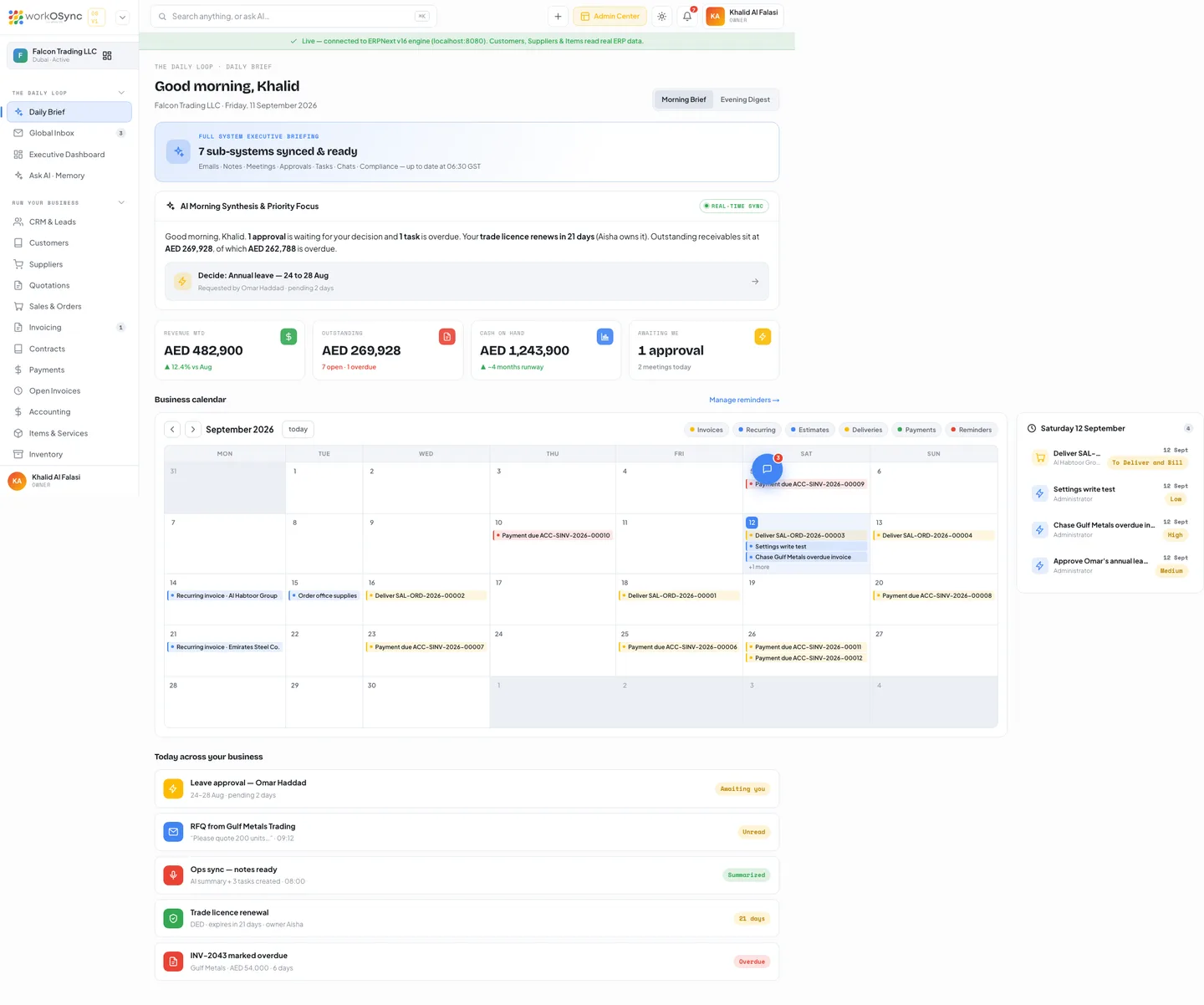
The two layers
WorkOSync is built as two layers that work as one product. The lower layer is a battle-tested ERP that keeps your books, stock and payroll correct. The upper layer is an AI Work OS that turns that data into a daily loop of briefs, approvals and answers.
ERP core
Double-entry accounting, FTA tax invoices, VAT 201, inventory, quotations and sales orders, contracts, HR and payroll, and manufacturing. Powered by a headless ERPNext engine.
AI Work OS layer
A Daily Brief, a unified inbox for email and WhatsApp, team chat, Ask AI with your own provider key, one-tap approvals, meeting notes and UAE compliance countdowns.
Because both layers share one database, an invoice raised in the ERP core is instantly something the AI layer can summarise, chase or approve. You never sync between tools.
Who WorkOSync is for
- A UAE company that must issue FTA-compliant tax invoices and file VAT 201 returns.
- An SME that has outgrown spreadsheets but does not want a six-month ERP rollout.
- A trading, services, retail or light-manufacturing business that needs stock, sales and accounts in one place.
- An employer running UAE payroll through the Wage Protection System.
- A founder or manager who wants an AI that already knows the business, not a generic chatbot.
At a glance
| Area | What is inside |
|---|---|
| Selling | Pipeline board, customers with a 360 profile and CSV import, suppliers, quotations with online acceptance, sales orders with proforma invoices, contracts with e-signature. |
| Billing | FTA tax invoices, hosted pay links, recurring profiles, payments and receipts, open invoices with cash-basis VAT. |
| Books | UAE chart of accounts, journal entries, banking, bills, reconciliation, budgets, P&L, balance sheet, trial balance, general ledger, AR ageing, VAT 201. |
| Operations | Items and services, inventory with stock ledger, manufacturing with recipes, work orders, quality and exports, projects with a task board and timesheets, fixed assets. |
| People | Employees, payroll runs, WPS-ready salary slips, leave and expenses, a client portal for customers. |
| AI layer | Daily Brief, Executive Dashboard, Ask AI with bring-your-own key, Global Inbox, Chat, Meetings, Approvals, Compliance countdowns. |
| System | 14-report catalogue with Excel, CSV and PDF export, users and roles, audit logs, settings, and the Platform Console for operators. |
How this documentation is organised
| Section | What you will find |
|---|---|
| Getting started | Set-up guide and navigation: sidebar, search, roles, theme and notifications. |
| Platform | The ERP core, the AI layer, the Platform Console, billing, security, UAE compliance and the API. |
| Modules | One page per module, from CRM to Settings, each with screenshots, tables and how-tos. Start at the catalogue. |
| Reference | Exports, the role matrix, the FAQ, a glossary of UAE and ERP terms and the changelog. |
Conventions used in these docs
- UI labels appear in bold, exactly as they read on screen. Paths and codes appear in
monospace. - Screenshots were captured from the demo company, Falcon Trading LLC, in the light theme at 1440 pixels wide. Your data, theme and role will change what you see.
- Amounts are in AED unless a page says otherwise. VAT is the UAE standard rate of 5 percent.
- Where a control is being connected to the ERPNext engine in a later release, the page says so in a note rather than describing it as complete.