AI Work OS layer
The AI layer sits on top of the ERP core and turns your live business data into a daily loop. It tells you what needs attention, drafts replies, answers questions, and lets you approve work with one tap. This page introduces each part; every one has its own guide under Modules.
The Daily Brief, calendar, notifications and approvals read the same accounts, invoices, customers and tasks the ERP core holds. Ask AI uses a provider key you bring yourself, so your questions go straight to OpenAI, Anthropic, Google or Moonshot and never through a third party.
Daily Brief
The Daily Brief is the home page. It greets you by name, and a toggle switches between the Morning Brief and the Evening Digest.
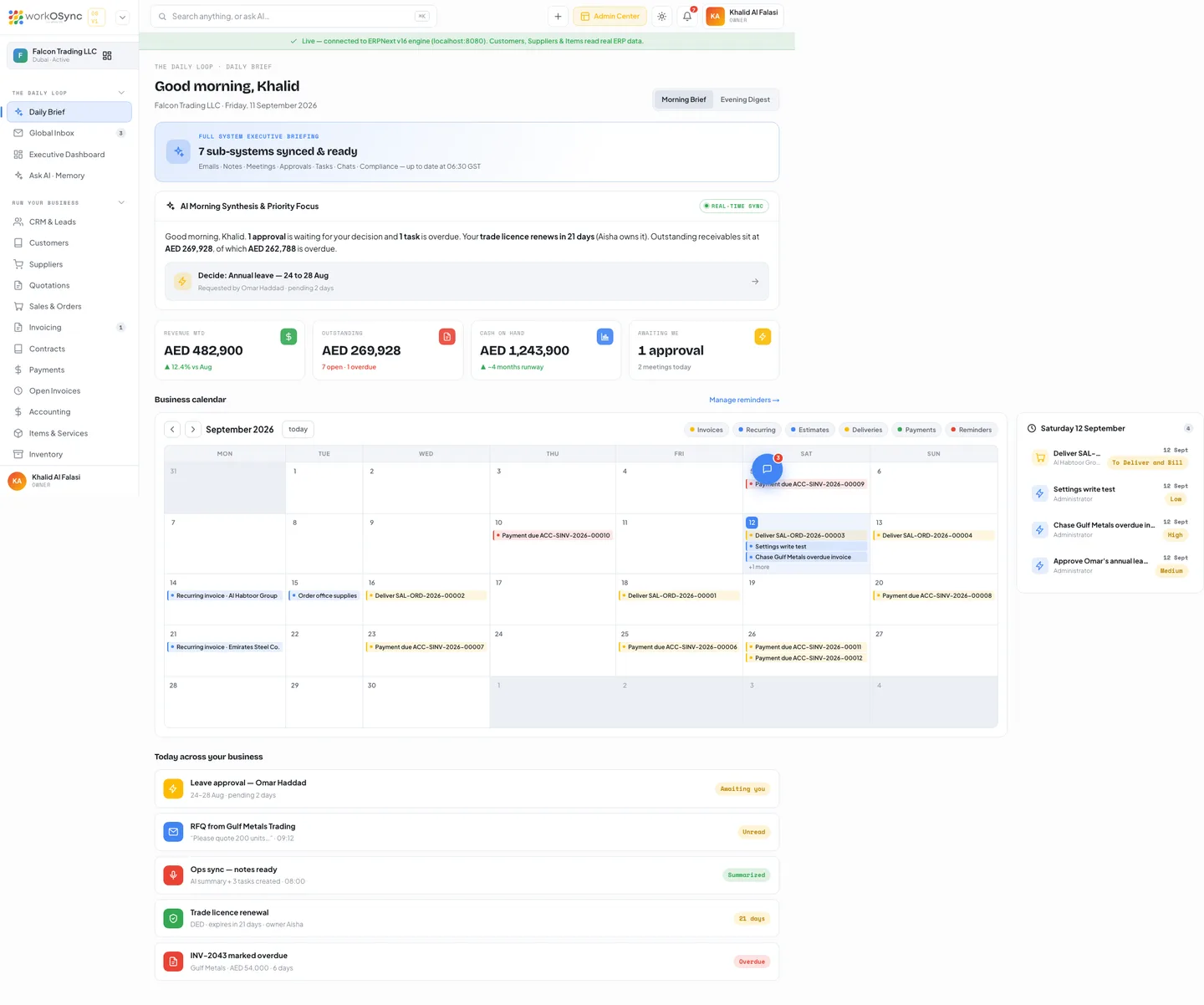
| Block | Morning | Evening |
|---|---|---|
| Banner | Full system executive briefing: which sub-systems (emails, notes, meetings, approvals, tasks, chats, compliance) synced and when. | End-of-day digest: today's work, wrapped. |
| AI card | AI Morning Synthesis & Priority Focus: approvals waiting, overdue tasks, the next licence renewal, outstanding and overdue receivables, and a Decide link that opens the pending approval. | AI Evening Digest & Tomorrow's Setup. |
| KPIs | Revenue MTD, Outstanding (live, with open and overdue counts), Cash on hand, Awaiting me. | Revenue today, Collected today, Closed today, For tomorrow. |
| Today list | Approvals, inbox, meetings, compliance and invoicing rows with status badges. | The same rows, wrapped. |
Business calendar
Under the KPIs sits a month calendar of everything with a date: invoice due dates, recurring invoice cycles, estimate validity, deliveries, payments and reminders. Legend chips toggle each kind; a cell shows up to three events and +N more; clicking an event opens the record and clicking a day lists it in the side panel, which otherwise shows the next nine upcoming items with Overdue, Paid or Done badges. Manage reminders opens the reminders page. The same events feed the notifications bell.
Executive Dashboard
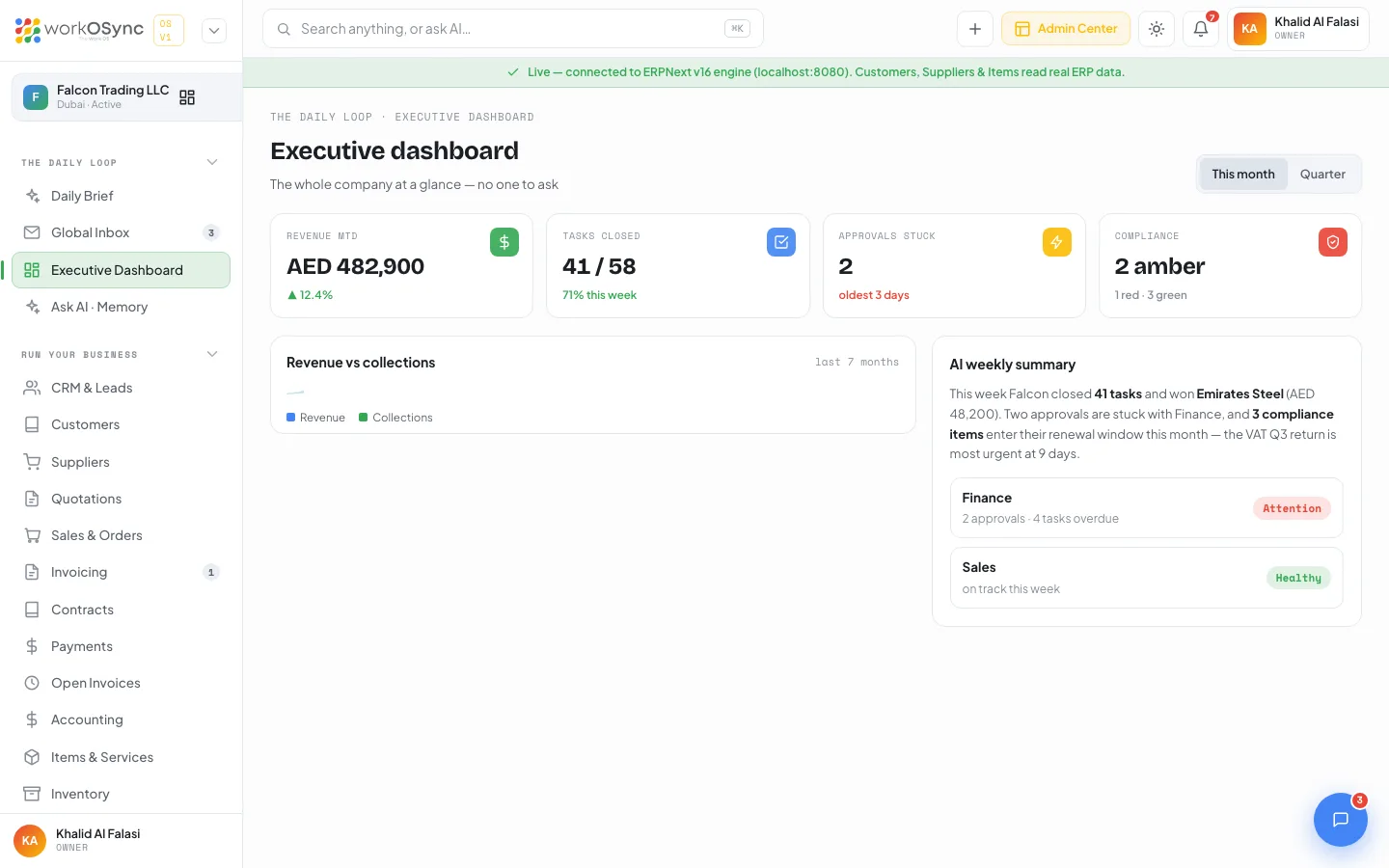
This month or Quarter switches the four KPIs and the Revenue vs collections chart between the last seven months and the last thirteen weeks. The AI weekly summary (or quarterly) explains the numbers in prose and flags departments as Healthy or Attention with a link into the module.
Ask AI and company memory
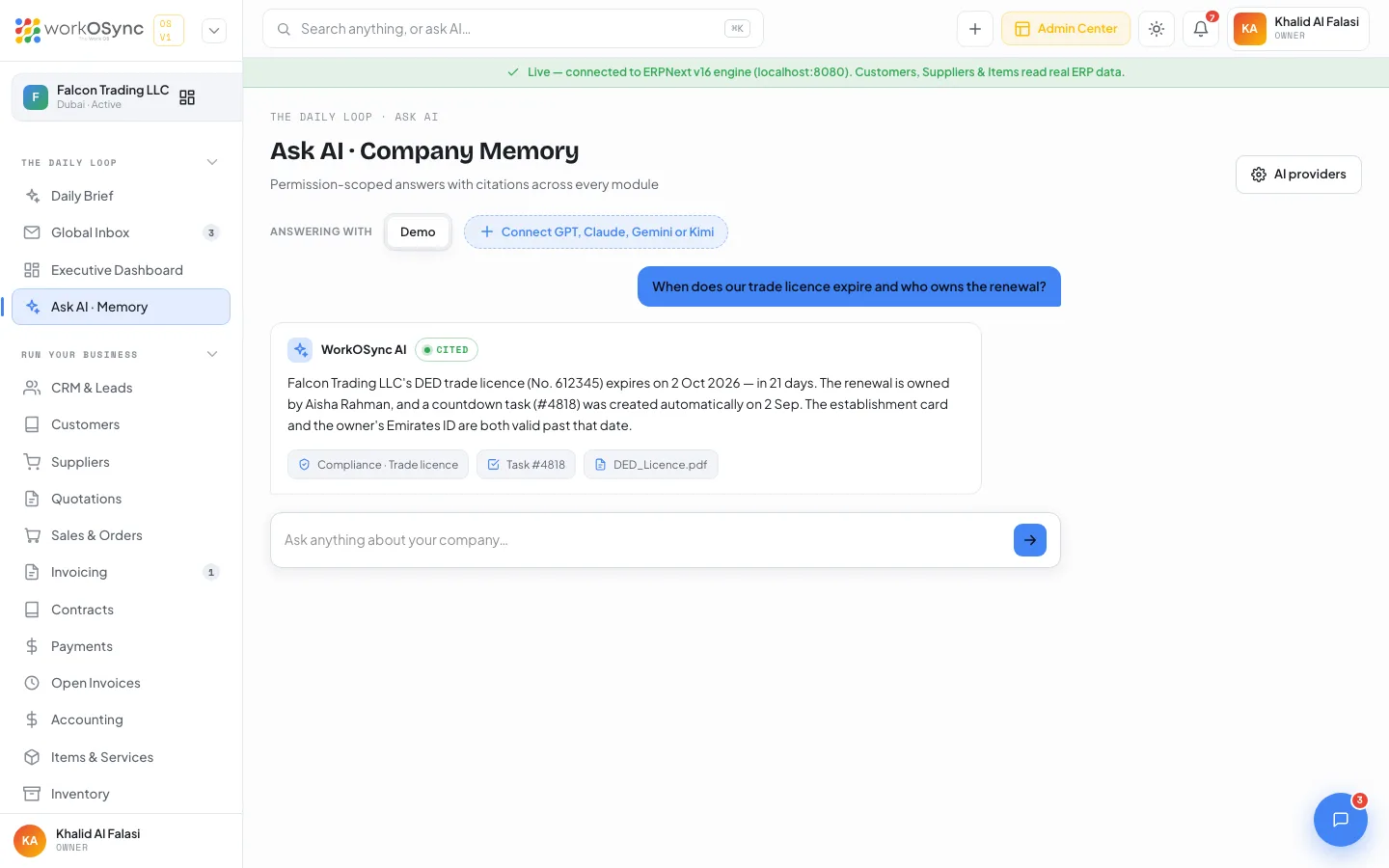
Ask a question in plain language. Connect your own key for OpenAI GPT, Anthropic Claude, Google Gemini or Moonshot Kimi, choose a model, and answers arrive live with the provider named. Keys stay in your browser. Full setup in Ask AI.
Global Inbox
Email and WhatsApp conversations arrive in one list, each thread showing the channel, the message and an AI-suggested reply you can use as-is or edit. The Channels tab connects Gmail or Google Workspace, Outlook or Microsoft 365, a custom IMAP/SMTP mailbox and the WhatsApp Business API. See Global Inbox.
Chat and groups
Internal channels such as #ops-procurement and #finance plus direct messages live beside the work, and a floating chat panel is available on every page. See Chat and groups.
One-tap approvals
Leave, expense, purchase and document requests queue with their amount and requester. Filter by Pending, Approved or Rejected, decide with one tap, and each decision is stamped as audit-logged. See One-tap approvals.
Meetings and AI notes
Schedule meetings on Google Meet, Microsoft Teams or Zoom; a bot joins with consent and produces a summary, decisions and action items that become tasks. See Meetings and AI notes.
UAE compliance countdowns
Trade licence, establishment card, VAT return, Emirates ID, Ejari and corporate tax each get a countdown card with an authority, reference and owner. Cards turn amber at 45 days and red at 14, and the Daily Brief mentions the nearest one. See UAE compliance tracker.
Start of day
Open the Morning Brief, clear approvals, reply from the Global Inbox.
During the day
Ask AI for numbers, capture meetings, turn talk into tasks.
Ahead of deadlines
Compliance countdowns and the calendar keep VAT and payroll dates from slipping.