Fixed assets
Fixed assets are the equipment, vehicles and fittings the business owns and uses over years rather than sells. This module runs the whole lifecycle: register an asset at its cost, spread that cost over its useful life with a depreciation schedule, track where it is and who holds it, log the maintenance and repairs that keep it running, and finally dispose of it. The register is the detail behind the Fixed Assets line on your balance sheet.
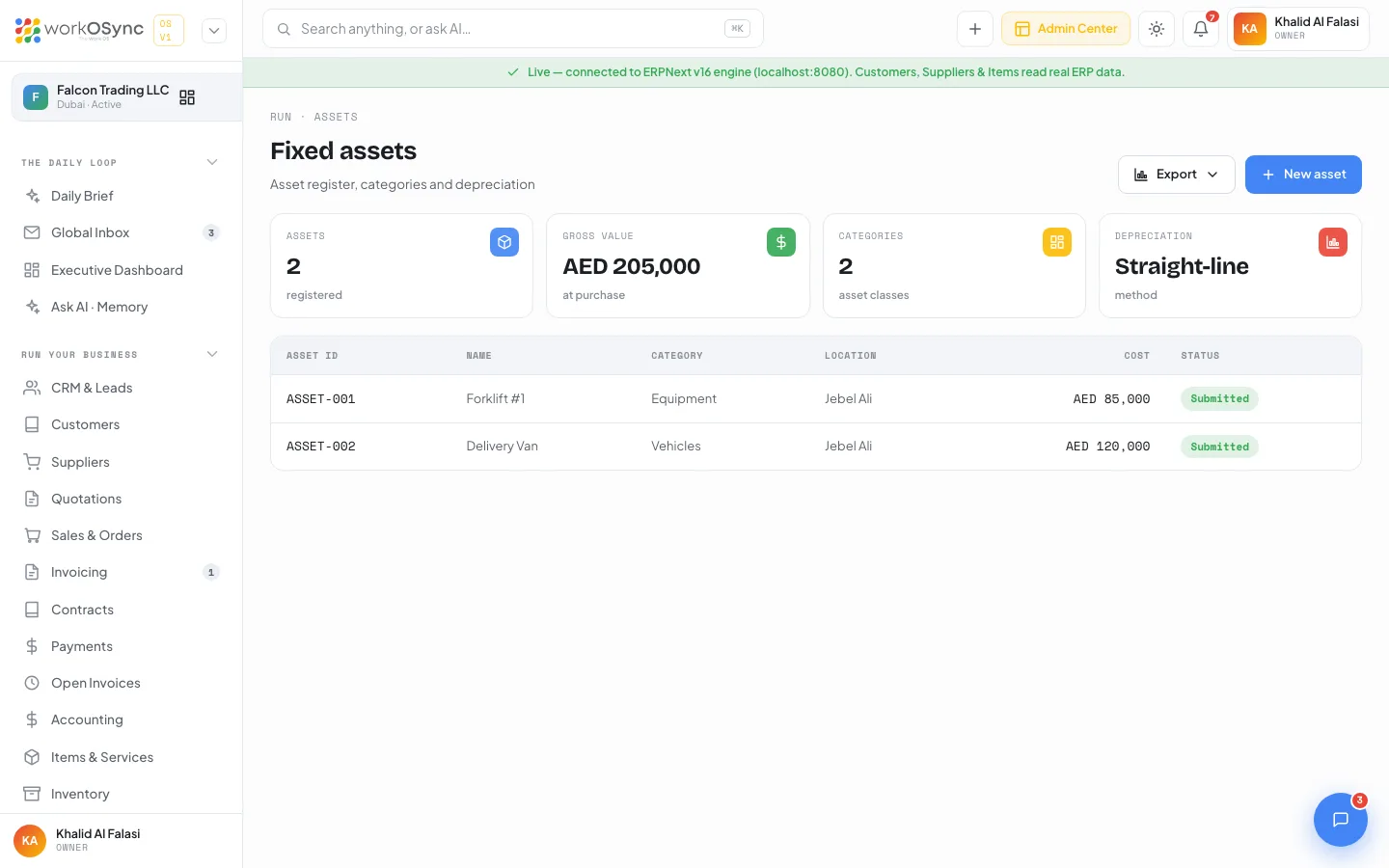
The asset register reads the ERPNext engine when it is connected and falls back to demo data when it is not. The demo register holds ASSET-001 Forklift #1 (Equipment) and ASSET-002 Delivery Van (Vehicles) at Jebel Ali. The basic register is also summarised under Items and inventory; this page is the lifecycle in depth.
The asset register
Open Run then Assets, or go to /assets. The page is the asset register: categories and depreciation for what the business owns. KPI tiles: Assets (registered), Gross value (at purchase), Net book value (gross less accumulated depreciation), Categories and Depreciation (the method, Straight-line). The table has Asset ID, Name, Category, Location, Cost and Status. A New asset button and an Export menu (assets) sit in the header.
Registering an asset
New asset opens the Register a new asset modal. Beyond the basics (name, category, location, purchase cost and date documented in Inventory), an asset for depreciation also carries:
| Field | Notes |
|---|---|
| Purchase cost | The gross value, the starting point for depreciation. |
| Useful life | How many years (or months) the asset is expected to be used. |
| Salvage (residual) value | What it is expected to be worth at the end of its life; not depreciated. |
| Depreciation start | Usually the purchase or available-for-use date. |
| Asset category account | The fixed-asset and accumulated-depreciation accounts the postings hit (for example Fixed Assets - Equipment). |
A submitted asset is on the books and being depreciated against its category account; a draft is recorded but not yet posting.
Depreciation schedule
WorkOSync builds a straight-line schedule: the depreciable amount (cost minus salvage value) is spread evenly across the useful life, so each period's charge is the same.
| Term | Meaning |
|---|---|
| Depreciable amount | Purchase cost minus salvage value. |
| Period charge | Depreciable amount divided by the number of periods in the useful life. |
| Accumulated depreciation | The total charged to date. |
| Net book value | Cost minus accumulated depreciation; falls to the salvage value at end of life. |
The asset shows its schedule row by row with the date, the charge and the running net book value. Each period posts a depreciation entry: a debit to Depreciation Expense and a credit to Accumulated Depreciation, which is why the net book value on the register and the balance sheet fall together. A Depreciation Entry is one of the entry types on the journal form.
Movements
A movement records an asset changing location or custodian, for example a forklift moving from Jebel Ali to the Sharjah site, or a laptop reassigned to a new employee. Movements keep the Location on the register current and leave a history of where an asset has been, which matters for an insurance claim or a physical count. A movement changes custody, not value, so it does not post to the ledger.
Maintenance and repairs
Maintenance keeps an asset serviceable on a schedule; a repair fixes it when something breaks:
| Record | What it captures |
|---|---|
| Maintenance schedule | Planned servicing at an interval (for example a forklift service every 3 months), with the next due date. |
| Maintenance log | A completed service: date, who did it, and any cost. |
| Repair | An unplanned fix with its cost and downtime; the cost can be expensed or, if it extends the asset's life, capitalised onto the asset. |
A due maintenance date surfaces in your business calendar and notifications so servicing is not missed, and a repair cost posts to the ledger as an expense (or adds to the asset value when capitalised).
Disposal
At the end of its life, or on an early sale, an asset is disposed of. The disposal removes the asset from the active register, posts out the remaining net book value, and records any gain or loss against the proceeds (a sale above net book value is a gain, below it a loss). The asset then shows as Disposed with the date.
Running an asset through its life
- Register and set the life
Add the asset with its cost, useful life, salvage value and depreciation start. Submit it so it is on the books.
- Let depreciation run
The straight-line schedule charges each period automatically, lowering the net book value and posting the depreciation entry.
- Track movements and upkeep
Record a movement when the asset changes location or holder, and log maintenance and repairs as they happen.
- Dispose at the end
When the asset is sold or scrapped, dispose of it to clear the net book value and book any gain or loss.
The register is the sub-ledger behind Fixed Assets - Equipment on the balance sheet, and depreciation is the expense on the P&L. An asset bought from a supplier comes in through Procurement as a purchase invoice, where its input VAT is recovered like any other purchase.